
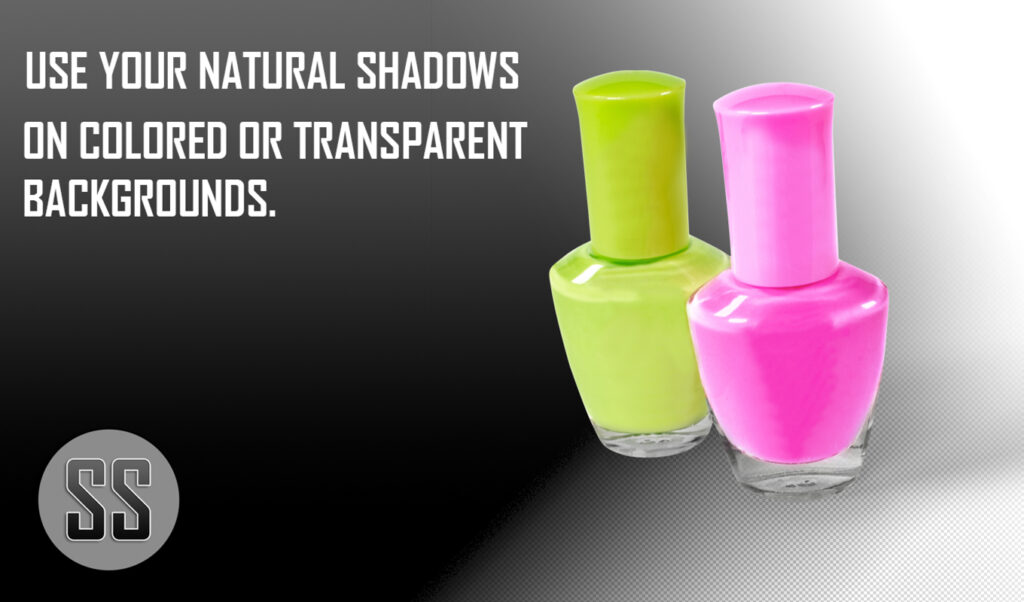
This plugin was initially designed for e-commerce and product photography. The Shadow Splitter plugin facilitates the separation of layers, enabling photographers and graphic designers to place their subjects on one layer and their shadows on a separate layer. This allows them to select any desired background. Additionally, it enables web designers to utilize their website as the background with the transparency setting.
The Shadow Splitter plugin also significantly reduces the time required during the extraction process. It can process 60 images within 60 seconds, substantially saving time. This time savings and billable time make it an exceptionally useful Photoshop tool.
Shadow Splitter is available at the official Adobe Marketplace in both Mac and Windows editions.
Mac Edition: https://exchange.adobe.com/apps/cc/a07eba9b/shadow-splitter-for-mac
Windows Edition: https://exchange.adobe.com/apps/cc/c2b72c43/shadow-splitter-for-windows
🎯 Key Takeaways
- Layer Separation: Instantly isolates subject and shadow onto separate Photoshop layers for unlimited background swaps.
- Web-Ready Transparency: Exports shadows with transparency so designers can drop products onto any web background without rework.
- Blazing Speed: Processes 60 product shots in 60 seconds—turning hours of manual masking into minutes of billable time.
- E-commerce Origins: Purpose-built for product and e-commerce photography, now essential for any high-volume image workflow.
- Cross-Platform: Available for both macOS and Windows directly through the official Adobe Marketplace.
How to Install & Run the Shadow Splitter Plugin – Step by Step
Step 1: Download the Correct Edition
Visit the Adobe Exchange page for your OS. Mac users click the Mac Edition link; Windows users click the Windows Edition link. Save the .ccx file to a memorable folder.
Step 2: Double-Click to Install
With Photoshop closed, double-click the downloaded .ccx file. Adobe Creative Cloud Desktop will open and silently push Shadow Splitter into Photoshop’s Window ▸ Extensions menu.
Step 3: Open the Panel Inside Photoshop
Launch Photoshop, open any product photo, then choose Window ▸ Extensions ▸ Shadow Splitter. A floating panel appears—dock it anywhere you like.
Step 4: Choose Batch or Single Mode
In the panel, toggle Single for one image or Batch for a folder. If batching, click “Select Folder” and point to the 60 images you want processed.
Step 5: Set Output Options
Check “Save Subject Layer” and “Save Shadow Layer” separately. Pick PSD or PNG with transparency so the shadow can sit on any background later.
Step 6: Run and Review
Hit “Process.” Within ~60 seconds the plugin finishes; each file now contains two layers—Subject and Shadow—ready for any composite or web background you choose.
People Also Ask
Does Shadow Splitter work with transparent PNGs?
Yes; it exports each image as a masked PNG with the subject on one layer and its natural shadow on a separate layer, so you can drop any background or website color underneath.
Can I batch-process an entire product shoot?
Absolutely—drag a folder into the panel; the plug-in automatically splits up to 60 shots in 60 seconds while you keep working in Photoshop.
Is Shadow Splitter compatible with Apple Silicon Macs?
The current Mac build is universal, so it runs natively on both Intel and M1/M2 machines from Photoshop CC 2019 onward.
Will it keep the original shadow density and softness?
Yes; instead of cutting the shadow off, the AI preserves opacity, blur, and fading so you can dial the strength up or down without redrawing it.
Do I need a subscription or is it a one-time purchase?
It’s a single, lifetime license sold through Adobe Exchange—pay once, install on two machines, and all future updates are free.
“`html
Frequently Asked Questions
What exactly does the Shadow Splitter plugin separate in my Photoshop file?
Shadow Splitter splits your image into two distinct layers—one containing only the subject and another containing only the shadow. This separation lets you place the subject on any background (including your website) while keeping or adjusting the shadow independently.
How many product shots can I process in one minute with Shadow Splitter?
According to the article, the plugin can process 60 images within 60 seconds, giving e-commerce studios a throughput of one image per second.
Is Shadow Splitter available for both Mac and Windows versions of Photoshop?
Yes. Separate editions are listed on the official Adobe Marketplace: one download link is provided for macOS and another for Windows.
Where do I install or purchase the Shadow Splitter plugin?
Install it directly from Adobe’s official marketplace: use the Mac edition link (a07eba9b) or the Windows edition link (c2b72b43) provided in the article.
Does the plugin keep transparency so I can overlay the subject on my website background?
Yes. By placing the subject and shadow on separate layers, the plugin preserves transparency, allowing web designers to drop the layers onto any web background or CSS background without re-masking.
Will Shadow Splitter reduce my billable retouching time?
The article explicitly states the plugin “significantly reduces the time required during the extraction process,” turning an hours-long masking job into seconds and therefore lowering billable retouching hours.
“`